Use Arcade in GitHub Copilot
Outcomes
Connect GitHub Copilot to an Arcade Gateway.
Prerequisites
- Create an Arcade
- Get an Arcade API key
- Create an Arcade MCP Gateway and select the you want to use
Production end with their own identities? If your end users already sign in to Entra ID, Okta, Auth0, Clerk, or another OIDC provider, configure a User Source on your gateway. Arcade redirects each end user to your identity provider on sign-in and identifies them by an OIDC subject claim.
Set up GitHub Copilot
VS Code
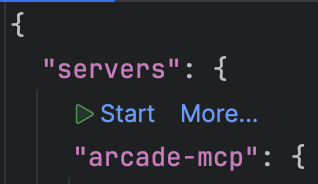
In VS Code, Github Copilot will automatically detect the configured servers. Read the VS Code instructions to set both of them up.


Try it out
- Open the chat pane (typically command-l on MacOS)
- Make sure you are in mode
- Ask the to use a .
Last updated on